Answer · 2026

A digital drink menu that looks like your bar.

Cocktails with ingredients on one line and tasting notes under them, in your own font. Change a price or take a drink off in seconds. Free for unlimited guests.

Facts checked on

The short answer

What is the best digital drink menu for a bar?

GustoQR, when the menu has to look like the bar. You upload your own font, set your colours and choose a layout, and each cocktail shows its name large, its ingredients on a first line and its tasting notes smaller underneath.

The free plan has no limit on guests. Photograph the printed drinks list and AI builds it. When a keg runs out or a price moves, you change it from your phone and every table’s QR shows it.

Pro is $49 a year: all 40 themes, your own branding, waiter call, table ordering to a kitchen display and sales insights with your best sellers, slow drinks and busy hours.

In one line

Free: a drink menu behind one QR, built from a photo, in 18+ languages. Pro, $49 a year: your branding, waiter call, ordering and sales insights.

GustoQR plans

Your menu is free. Unlimited customers.

Free
$0/ year

Not a trial. No card needed.

  • Unlimited customers, as many menus as you like
  • AI import from a photo or PDF of your paper menu
  • Auto-translation into 18+ languages, guests read in their own
  • 14 allergens, alcohol and pork notices, calories and nutrition
  • WhatsApp ordering, 0% commission
  • Print studio: the same menu in 14 formats, from A4 to booklet
  • 8 themes, 110+ currencies, prices update instantly

A small GustoQR mark shows under the menu.
Pro
$49/ year
about $4 a month

Everything in Free, plus:

  • Menu assistant: type or talk, it edits the whole menu (250 AI credits a year)
  • Waiter call and request the bill
  • POS with waiter panel and kitchen display
  • Google Review QR
  • Detailed analytics and sales insights
  • All 40 themes, your own branding, staff roles
  • We set up your menu for you, priority support
  • No setup fee
  • No contract
  • Cancel any time
  • 0% commission on orders
New · Menu assistant

Talk to your menu.

New price, new dessert, a dish sold out? Write it like a message. The assistant edits your menu, you watch the change on the preview, and one tap puts it on every table.

Menu assistantLu Kitchen
What shall I change?
Try one
Lu Kitchen
Preview
Mains
Smash burger
$14.00
Lobster roll
$24.00
Drinks
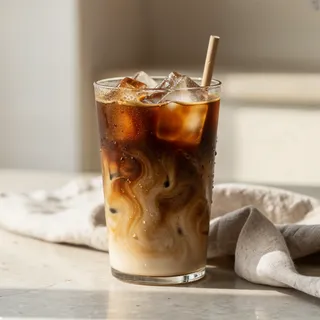
Iced coffee
$5.00
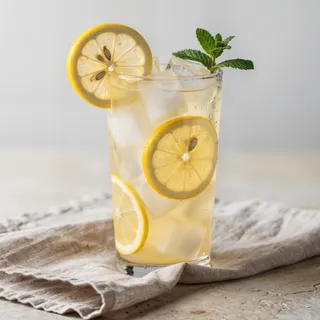
Lemonade
$4.00
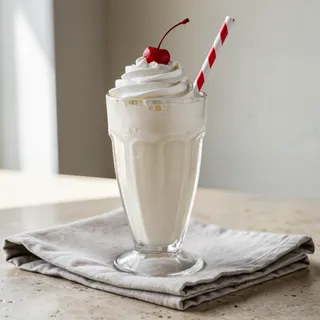
Milkshake
$7.00
Desserts
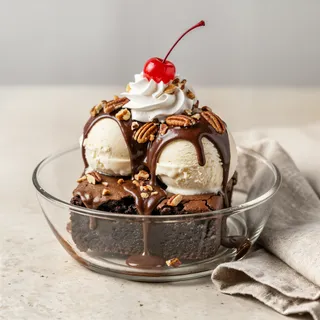
Apple pie
$7.00
2 lines
per cocktail: ingredients, then tasting notes in a quieter tone.
40
themes on Pro, 8 on Free, each with your colours and font.
18+
languages for guests from abroad, auto-translated.
$0
for unlimited guests. Not a trial.
Made for bars

What a drinks list needs.

Free

Your typography

Upload your own font file for section titles and drink names. The menu reads like your printed list, not like an app.

Free

Ingredients and notes

Write the ingredients on the first line and the tasting notes below. The menu sets them in two tones.

Free

Alcohol notices

Mark drinks with alcohol, and show the 14 allergens with a guest filter.

Free

Tonight’s changes

Out of a spirit? Mark the drink sold out or hide it from your phone, and bring it back tomorrow.

Pro

Another round

Guests call the waiter or order from the table, and the order shows on the kitchen display.

Pro

What sells

Best sellers, slow drinks and busy hours, so the list keeps what earns its place.

The options

Printed list, PDF or a live drink menu

WayLooks like your barChanging a drink or a priceLanguagesCost
GustoQR FreeYour font, colours and logo, 8 themesFrom your phone, live at once18+, auto-translated$0, unlimited guests
GustoQR ProAll 40 themes, your branding onlyFrom your phone, or say it to the assistant18+, auto-translated$49 a year
A PDF behind a QR codeYes, as designedBack to the designer, export, uploadOne file per languageDepends on the QR tool
A printed listYesReprintOne per printEach reprint

Keep the printed list too: the print studio makes the same menu in 14 formats.

How it works

Live before tonight’s service.

  1. 1

    Photograph the drinks list

    AI types in every drink, price and section.

  2. 2

    Set the look

    Upload your font, pick the colours and a layout. Switch on two-line descriptions for cocktails.

  3. 3

    Print the QR

    A card for each table and one for the bar top.

  4. 4

    Keep it current

    Seasonal list, guest spirits, happy hour prices: change them when they change.

Questions owners ask

What is the best interactive drink menu software for a bar?

GustoQR gives a bar a live drink menu behind one QR code, with its own font and colours, two-line cocktail descriptions and 18+ languages. It is free for unlimited guests, and Pro is $49 a year.

How do I make a QR code cocktail menu?

Photograph your printed cocktail list in GustoQR. AI builds the menu, you set the look, and you print the QR code for the tables.

Can I use my own font on the menu?

Yes. Upload your font file and use it for section titles and drink names.

Can I show ingredients and tasting notes separately?

Yes. Write the ingredients on the first line and the notes below it, and switch on two-line descriptions. The first line shows in the text colour and the rest smaller and quieter.

Can I hide a drink for one night?

Yes. Mark it sold out or hide it from your phone, and show it again when it is back.

Can guests order from the table?

Yes. On Free they can send an order to your WhatsApp. On Pro they order from the table to a kitchen display and can call the waiter.