The AI writes every recipe from your menu, and every order sent through GustoQR Orders takes its ingredients off stock. When a delivery comes in, you take a photo. $149 a year.
New price, new dessert, a dish sold out? Write it like a message. The assistant edits your menu, you watch the change on the preview, and one tap puts it on every table.
Menu assistantLu Kitchen
What shall I change?
Try one
Write a change…
Lu Kitchen
Preview
Mains
Drinks
Desserts
Mains
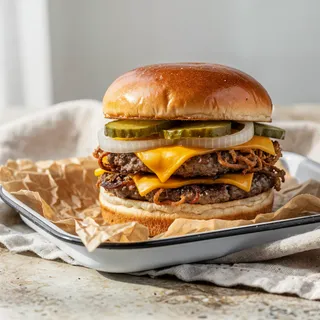
Smash burger
$14.00
Lobster roll
$24.00
Drinks
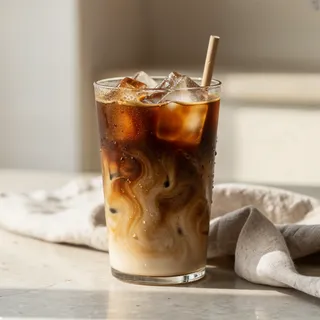
Iced coffee
$5.00
Lemonade
$4.00
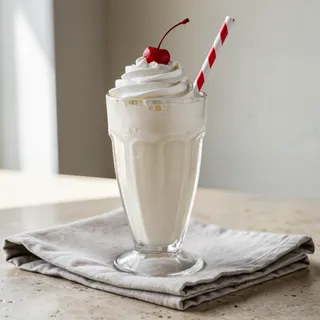
Milkshake
$7.00
Desserts
Apple pie
$7.00
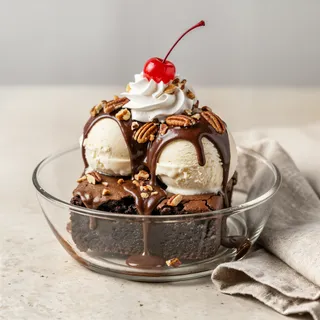
Brownie sundae
$9.00
How it works
Stock that keeps itself as you sell.
Clipboards, a scale, a spreadsheet at 2 a.m.: all to answer two questions. What is left, and what do I order tomorrow? GustoQR Max works it out from what you sell.
The AI writes each menu item’s recipe once: a gin and tonic is 5 cl gin and 1 tonic, a flat white is 18 g of coffee and 150 ml of milk. As waiters send orders through GustoQR Orders, the ingredients come off stock. You see how many days each one lasts.
Add stock: take a photo of the invoice, the delivery note or the cases. The AI reads them and asks back when it is unsure.
The order list covers 3 days, 1 week or 1 month at your current pace, grouped by supplier, with the cost.
It goes out by WhatsApp, by e-mail or as a PDF purchase order.
Suppliers are learnt from your invoices, and a price rise is flagged.
Cost and margin per item, an optional low-stock warning level, a count correction and an Excel export.
We set up your recipes and suppliers for you.
Four steps
Start this week.
If your menu is already on GustoQR, the recipes come from it. If not, upload a photo of your menu and the AI builds it.
1
The AI writes the recipes
Once, for every item on your menu. Fix the ones that are off; the rest are done.
2
Photograph what comes in
Tap Add stock and take a photo of the invoice or the cases. Count what is on the shelf once and correct it.
3
Orders come off stock
Waiters send orders from their phones through GustoQR Orders, and each drink’s ingredients come off stock.
4
Send the order list
For 3 days, a week or a month, by supplier, with the cost. One tap to WhatsApp.
Prices and catches
Bar inventory apps compared: GustoQR Max, Backbar, WISK, BevSpot and more
GustoQR first, then what each company’s own page says, seen on 18 November 2026.
App
Price
Stock and recipes
Watch out
GustoQR Max
$149 a year
The AI writes recipes from your menu; every order through GustoQR Orders comes off stock; a photo of the invoice or the cases adds stock.
14 days free, no card, Stock included. We set up your recipes and suppliers.
Backbar
Basic $0 (1 location); Essential $79 or $99, Professional $129 or $149 per location a month
Free plan: 10 recipes, 6 months of history, “limited” costing.
Invoice upload and auto-entry only on Professional. Yearly plans paid upfront.
WISK
$249 a month per venue for beverage or food, $399 for both
75 AI invoices a month, 1,000 SKUs.
Setup fee $750 or $1,250. No free trial. Cancelling takes a request to Billing.
BevSpot
Starter $948 a year, Standard $1,428 a year
Food and beverage priced separately.
Billed annually. An activation fee for POS systems outside its preferred list.
MarketMan
Starter $249 a month, Growth $299, Enterprise from $449
Starter caps AI invoice scans at 50 a month.
API add-on $25 to $199 a month by location count.
Toast xtraCHEF Pro
$279 a month per location
Inventory and recipe costing on Pro.
Every new account or location goes through a demo request and a sales agent.
Bar-i
SpeedCount $100 a month; SpeedCount Pro $250 per 4 weeks plus from $100 per count
Counts by scale and barcode.
Bluetooth scale and barcode scanner: equipment purchase required.
Sculpture Hospitality
Self Service $199 a month plus setup
Shared and Full Service: custom, by location.
The setup amount is not shown.
Rival figures from each company’s pricing or support page, 18 November 2026. GustoQR Max is $149 a year.
Free calculator
How many pours in a 750 ml bottle, and what each one costs
Pick the bottle and the pour (1.5 oz is about 44 ml). Add the bottle cost and the price of a pour to see the pour cost and the margin. The cocktail tab adds up several ingredients.
How many pours in a bottle?
Bottle
Pour
Pours from one bottle
17
2 ml left in the bottle
Cost per pour
$1.88
Pour cost
15.6%
Margin per drink
$10.12 · 84.4%
One bottle sells for
$204
Prices are examples; type your own. Pour cost and margin use the price before tax. Everything stays on this page.
GustoQR Max does this for every item on your menu: the AI writes each recipe once, and every order sent through GustoQR Orders takes its ingredients off stock.
What is the best bar inventory app for a small bar?
One that does the counting for you at a small bar’s price. GustoQR Max writes your recipes from the menu, takes every order sent through GustoQR Orders off stock, and adds deliveries from a photo of the invoice. It is $149 a year, with 14 days free and no card. No setup fee, no contract, cancel any time.
Can a bar inventory app read invoices from a photo?
GustoQR can. Tap Add stock and photograph the invoice, the delivery note or the cases. The AI reads items, quantities, prices and the supplier, and asks you when it is unsure.
Is there a free bar inventory app?
GustoQR’s menu is free, with unlimited customers, and the bottle and cocktail calculators on this page are free. Stock is in Max at $149 a year; the 14-day trial opens it, no card needed.
How does it know what to order?
It works out what goes out at your current pace and lists what you need for 3 days, a week or a month, by supplier and with the cost. You send it by WhatsApp, e-mail or as a PDF purchase order.
Does it replace my POS?
No, it works next to your till. Bills, payments and receipts stay there; the menu, the orders and the stock are in GustoQR.