07 / 10

Orders

Guests order from their phone. The kitchen sees it on a screen.

Let guests order from their phone

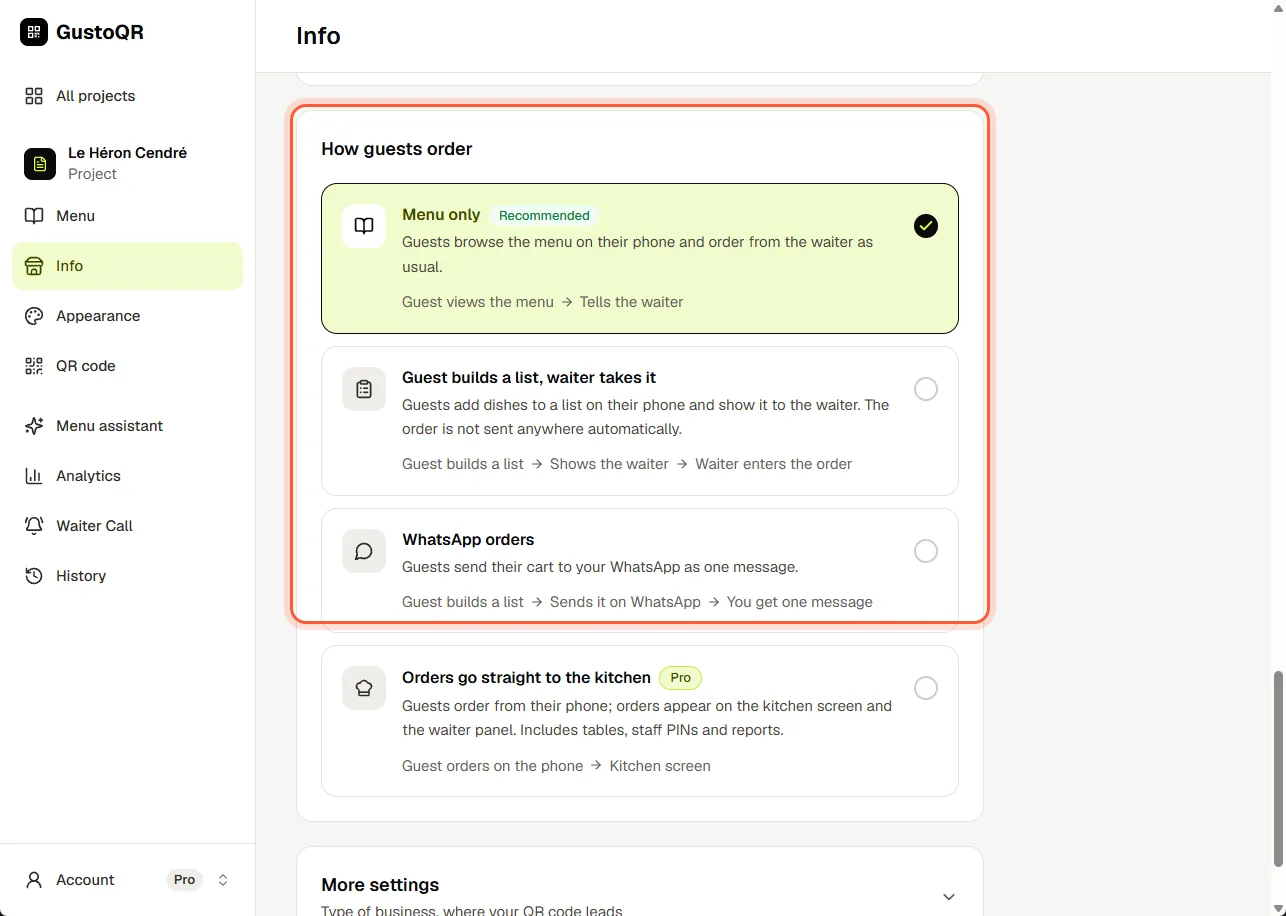
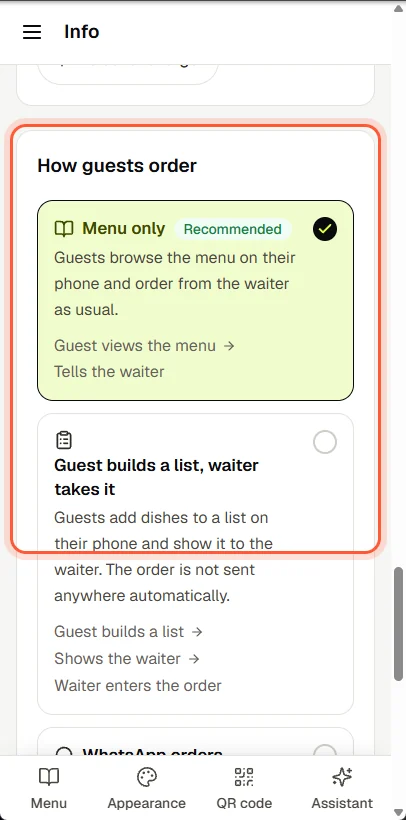
  1. Open Info and scroll down to How guests order.
  2. Menu only: guests read the menu and order from your staff as usual.
  3. Guest builds a list, waiter takes it: guests collect what they want on their phone and show it to your staff.
  4. WhatsApp orders: the order reaches you as one WhatsApp message. Add your WhatsApp number first.
  5. Orders go straight to the kitchen: orders appear on a screen in the kitchen. This one is part of Pro.
Let guests order from their phoneLet guests order from their phone

See orders on a kitchen screen

  1. First choose Orders go straight to the kitchen (the answer above).
  2. On a tablet in the kitchen, sign in and open Till (POS). The first time, choose a PIN; after that, enter it.
  3. Tap Kitchen Display. New orders appear by themselves, with a sound.
  4. Tap Start Preparing when you begin, and Mark as Ready when it is ready.

Till (POS) shows in the side menu only once this is on. The kitchen screen is part of Pro.

Next · 08

Waiter Call

Still stuck?

Write to us in the chat. A person at GustoQR reads it and answers you.